How it works

From your documents to an agent that gets the work done.

An agent is a colleague you set up for one job, such as raising invoices or answering customers on WhatsApp. Your documents are how it learns your business and how work gets done there. Setting one up takes five steps, and none of them needs a developer.
01 Capture

Put in what the business already knows, so the agent knows it too.

Drag in the handbook, the price list, a call transcript, a PDF nobody has opened since March. This is how the agent learns your business and how work gets done in it. Studio splits each one into documents you can search. With AI enrichment switched on, it also labels them and links the ones that relate.

  • Files, web pages, Google Drive folders, images and audio all go in the same way.
  • Every answer, and every draft, shows the documents it came from, so you can check it.
  • Projects are folders with per-person access. A contractor sees their project and nothing else.
More about Monsel Studio
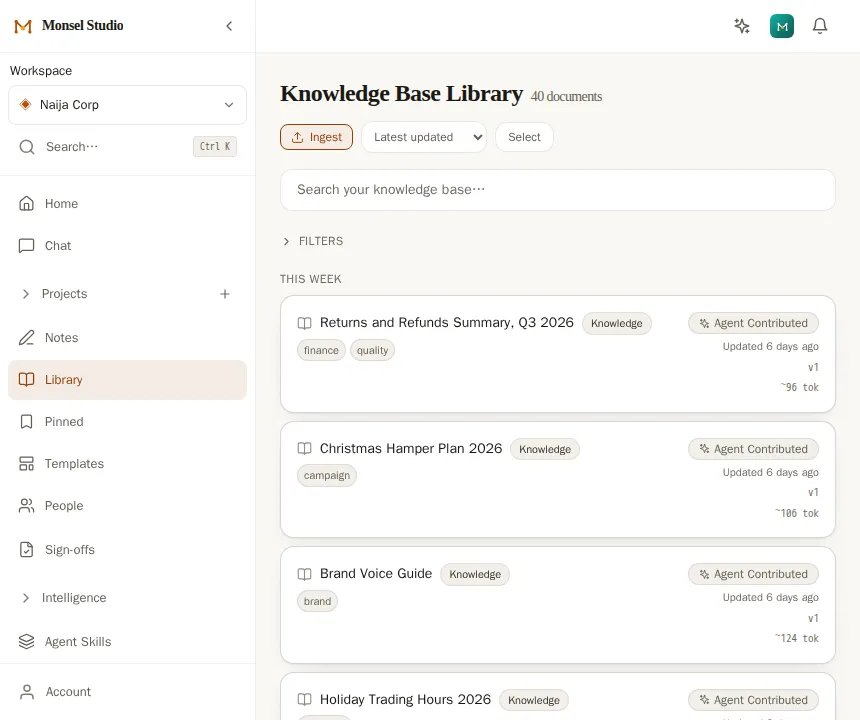
The Library in Monsel Studio: documents written by agents, each with its tags and when it was last updated.
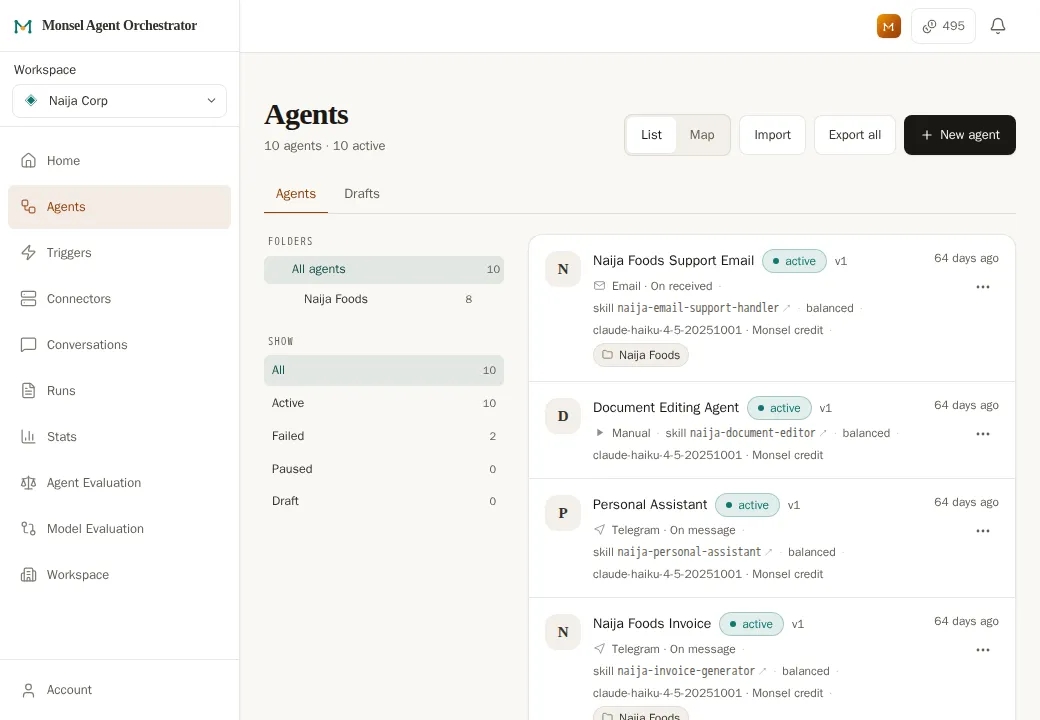
The Agents screen in Monsel Agent Orchestrator: a list of ten agents, each showing its channel, its instructions and that it is active.

02 Design

Write the agent's instructions as sentences.

A skill is the written instructions an agent follows: what to do, what to refuse, when to hand over to a person. Change the wording and the behaviour changes on the next run.

  • Choose what starts it: website chat, WhatsApp, Telegram, an inbox, a schedule, a calendar, or another agent finishing its work.
  • Limit what it reads to a project, so the support agent cannot open the payroll folder.
  • You can draft agents through Co-Pilot, the built-in assistant, and edit what it drafts.
More about the Agent Orchestrator

03 Connect

Connect the channels and the tools it needs.

A WhatsApp number, an inbox, a Drive folder, a calendar. Each is connected once, then offered to the agents you allow. There is no server for you to run.

  • Tools with a ready-made AI connection can be added too.
  • A tool inside your own network needs one small piece installed there. Nothing of yours faces the internet.
  • An agent reaches only the connections you tick for it.
More on connections

Fewer guesses

The platform handles what does not need judgement.

The model is asked to think only when thinking is needed. Monsel does the rest, the same way every time.

Sums are done by code

Invoice totals are calculated, not estimated.

Search needs no AI model

It finds the documents. The model writes the answer.

Every step is checked

Passed, needs action or failed. A failed step is reported as failed.

Agents see only what you gave them

An agent can use only the tools you grant it.

04 Approve

You approve the work you choose.

A customer reply, an invoice, a plan the next agent will act on. Work you mark for approval stops and waits, with the documents the agent read and the tools it called on the same screen.

Agent drafts A reply, an invoice, a plan
You review Approve, send back, or edit
Then it moves To the customer, or the next agent
Sent back with a reason, it returns to the agent with your note. The agent works from it on its next run.

Your reason is kept

Who approved what, and when, stays on the document. A reason for sending back goes to the agent.

Separate from live handoff

Approval holds produced work. Handing a live conversation to a colleague is a separate queue.

05 Improve

You correct it, and the instructions improve.

Every run is logged, so you can read it back. Every skill save is a version you can compare and restore in one click.

  • Skills are checked when you save, for a missing way to reach a person and for clashes with what you taught before.
  • On the Pro plan and above, try a draft skill against past conversations before you publish it.
  • On the Pro plan and above, your rejections and edits are grouped into a proposed skill change you can read, edit and accept.
  • On the Pro plan and above, evaluations grade past runs and group related mistakes into one pattern.
What it costs

Private beta

Workspaces open in batches.

Monsel is in private beta with a small number of businesses. Leave an email and we will tell you when the next batch opens. 200 free credits come with your first sign-up.

We email you when your workspace opens, and at most a handful of times before that. Every email has an unsubscribe link. Privacy.

To talk first, ask us to set agents up for your business from a written proposal, or write to hello@monsel.ai.